Tag: notifications

  • #16 – Jonathan Bossenger on Cleaning Up WordPress Notifications

    #16 – Jonathan Bossenger on Cleaning Up WordPress Notifications

    On the podcast today we have Jonathan Bossenger. He’s here to talk about WordPress notifications and how they are managed. He wants there to be a unified space in the WordPress admin which handles all notifications, so that users are in control of what they see and when. Go listen to the podcast.

  • How to Disable Push Notification Requests in Firefox

    How to Disable Push Notification Requests in Firefox

    Have you noticed how many sites ask if you want to enable push notifications? I've answered no to every request but thanks to a tip suggested by Thomas Kräftner, you can disable requests from appearing altogether in Firefox. Last week, Mozilla released Firefox 59.0 and added a new privacy feature that allows users to block…

  • How to Check if Installed Plugins Are No Longer in the Plugin Directory

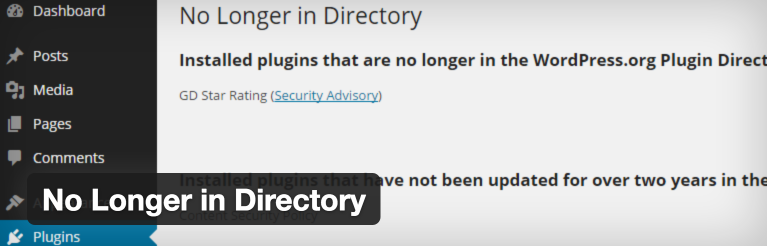
    How to Check if Installed Plugins Are No Longer in the Plugin Directory

    When we wrote about why plugins sometimes disappear from the WordPress plugin directory, it generated a healthy discussion in the comments. One of the topics of discussion brought up is whether or not users should be notified when a plugin disappears and if so, how? Currently, when a plugin is hidden on the directory, users are not…

  • Disable Specific WordPress Update Emails with the Control WP Core Emails Plugin

    Disable Specific WordPress Update Emails with the Control WP Core Emails Plugin

    If you manage a number of WordPress sites, you may find yourself inundated with emails each time a new version of WordPress is released. If you’d like to quickly disable these types of notifications, check out Control WP Core Emails, a brand new plugin developed by Andrew Norcross of Reaktiv Studios. Once activated, browse to…

  • WPWeekly Episode 231 – An Inside Look at the Plugin Review Process with Mika Epstein

    WPWeekly Episode 231 – An Inside Look at the Plugin Review Process with Mika Epstein

    In this episode of WordPress Weekly, Marcus Couch and I are joined by Mika Epstein. Epstein reviews plugins before they’re added to the WordPress plugin directory and volunteers on the WordPress support forums. We learn what the plugin review process is like and common security issues she discovers. I was shocked to learn that Epstein…

  • The Quest For a Centralized WordPress Notifications Center

    The Quest For a Centralized WordPress Notifications Center

    Based on the number of comments we received on WordPress admin notices being abused, it’s clear that a number of you feel the same way I do. Thanks to the healthy discussion that took place, I learned several new things about admin notices I’d like to share with you. Themes Do it Too While the…

  • Help Me Add Comment Approval Notifications to WordPress

    Help Me Add Comment Approval Notifications to WordPress

    Since enabling comment moderation on the Tavern, I’ve discovered that WordPress does not notify commenters when their comments are approved. On the Tavern, I’m using the Comment Approved plugin by Niels van Renselaar. It allows me to create a custom notification message that is sent when a comment is approved. Unfortunately, I don’t think it’s…

  • Stream Morphs From a Plugin Into a Service

    Stream Morphs From a Plugin Into a Service

    Stream 2.0 is available for download and includes a plethora of enhancements. This version features a rewrite from the ground up with a focus on scalability, security, and activity. As part of the rewrite, Stream activity data is stored in the cloud using Amazon Web Services with Elasticsearch. This is the same type of setup…

  • An Easy Way To Notify Users When Their Comment Is Approved

    An Easy Way To Notify Users When Their Comment Is Approved

    By default, WordPress doesn’t notify users when their comments are approved from the moderation queue. If you’d like to change that, consider using the Comment Approved plugin by Niels van Renselaar. The plugin is simple to use and configure. After it’s installed and activated, you’ll find the settings in Settings > Comment Approved. It’s important…

  • A Proposed Enhancement That Saves A Mouse Click When Upgrading WordPress Plugins

    A Proposed Enhancement That Saves A Mouse Click When Upgrading WordPress Plugins

    Four months ago, WordPress user Fredelig created a new ticket on WordPress trac suggesting the plugin update notification bubble load the page listing all of the plugins with pending upgrades. In WordPress 3.9, clicking the notification loads Plugins.php which lists all of the activated plugins, including the ones with upgrades. This requires a second mouse…

  • How To Redirect Automatic Update Email Notifications In WordPress

    How To Redirect Automatic Update Email Notifications In WordPress

    One of the biggest features to land in WordPress 3.7 were automatic updates. When automatic updates are completed, an email notification is sent to the address specified within Settings > General which is typically the website administrator. However, if you maintain websites for clients, you probably want those notifications to be forwarded to you and…

  • Push Notifications From WordPress To Mac Via Push Monkey

    Push Notifications From WordPress To Mac Via Push Monkey

    When OS X Mavericks was released, one of the new features added to the operating system was Safari Push Notifications. The notifications use the new Apple Push Notifications service to notify users of new events. Since the feature was added to OS X Mavericks, there have been a number of services built around it. Roost…

  • Notifications For The Collapsed Menu

    I don’t know about you, but I have a widescreen monitor and I’ve enjoyed having the WordPress administration menus collapsed versus extended. The extra real estate is nice to have with less for me to look at. However, this collapsed menu comes at a price whereas, this menu option does not allow me to see…

  • Upgrade Notifications By Email

    Amidst all the fuss about what it takes to find out when there is an upgrade available for WordPress, Konrad Karpieszuk took advantage of the situation and created a plugin that provides email notifications on when an upgrade is available. The plugin sends a check to WordPress.org every day to see if the version installed…